
With spf.io, you can provide captions and translation that scales with your audience.
Serving and communicating with the public can be difficult especially when they come from different cultures and languages. But with spf.io, translation is so simple, it’s easy to provide a great multilingual experience. Any prepared materials can be loaded into spf.io before the event. Hook up microphone audio to spf.io and deliver captions and translation for everyone on a projector. Or attendees can visit the event URL on their mobile devices to receive subtitles.
Ready for Anything
With spf.io, you can provide translation to your audience whether or not it’s prepared beforehand. Automated translation for over 50 languages is always at your fingertips.
Convenient Display
Translation and slides can both be displayed through spf.io. Show them on a projector or directly on the audience’s mobile devices.
Single Control
Keep multiple languages all in sync with what the speaker says. Control the delivery of captions and slides with the tap of a button from a single device.
How It Works
Upload materials to spf.io
Slides
Script
Prepared Translations
Setup spf.io
Single Control
Connect a microphone
Deliver translation
Projectors
Mobile Devices
Ready to try it out?
Related Articles

Multilingual Video Playback for Training and Presentations
Learn how multilingual video playback lets your audience watch the same video in different languages during training and presentations.

Real-Time ProPresenter Translation for Multilingual Worship
In celebration of Pentecost Sunday, spf.io now provides real-time ProPresenter translation by automatically translating ProPresenter slides into multiple languages the moment they appear on screen. Audience members can follow along on their mobile devices or public...

Language Accessibility as City Infrastructure: How Elgin, IL Transformed Civic Engagement
For local governments, shifting demographics are more than just statistics—they are a call to rethink how a city functions. The City of Elgin, Illinois, found itself at a crossroads. With a history stretching back to 1854, this city has seen many transformations....
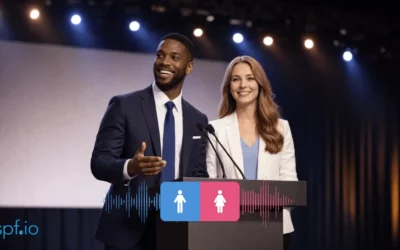
Change Text-to-Speech Voice Gender Instantly During Live Sessions
Change text-to-speech voice gender on the fly to match each speaker so your audience can easily follow who’s speaking.

Private Live Translation: Audio-Only Mode & Access Codes for Internal Events
Worried about data leaks? Discover how spf.io’s Private Live Translation uses generated Access Codes and Audio-Only mode to protect sensitive internal events.

Distinct AI Interpreter Voices: Bring Clarity to Multilingual Conversations
Make multilingual conversations clearer with distinct AI interpreter voices that help listeners easily tell speakers apart across languages.